Reducing Readmissions: Intelligent Healthcare Decisions with KPIs

In healthcare, timely and accurate decisions save lives and resources. One critical challenge is managing Patient Readmissions. Hospitals are often penalized for excessive readmissions, and more importantly, they represent a failure to fully resolve a patient's condition.
In this post, we'll explore how QuantumDMN uses stateful decisioning (KPIs) to automatically identify patients at risk of readmission without complex backend queries.
The Challenge: Missing Context
Traditional decision engines are stateless. When a patient is admitted, the engine receives current data:
- Patient Name
- Age
- Symptoms
- Diagnosis Code
However, to determine readmission risk, you need to answer a definitive question:
"Has this patient been admitted in the last 30 days?"
Standard DMN engines cannot answer this without the application fetching the patient's history before calling the engine. This spreads business logic ("what constitutes a readmission?") across your application code and database queries.
The Solution: Stateful KPIs
With QuantumDMN, we can define a Key Performance Indicator (KPI) that tracks admissions over a specific time window. The engine maintains the history (the "Ledger"), allowing us to encapsulate the entire readmission logic within the decision model.
The Scenario
We want to flag any admission as HIGH RISK if the patient has had one or more admissions in the previous 30 days.
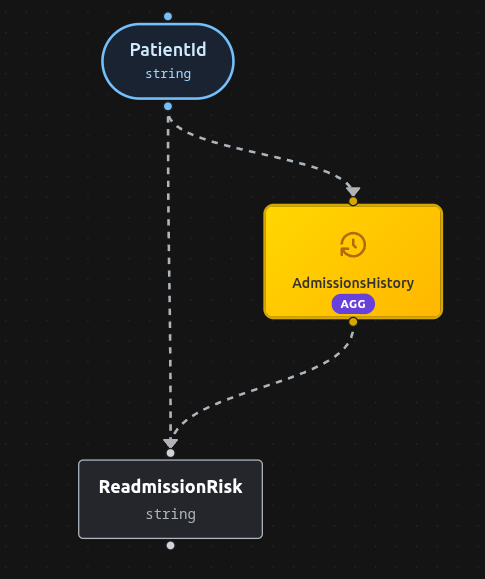
1. KPI Definition
We create a KPI called AdmissionsHistory with a window of 30d.
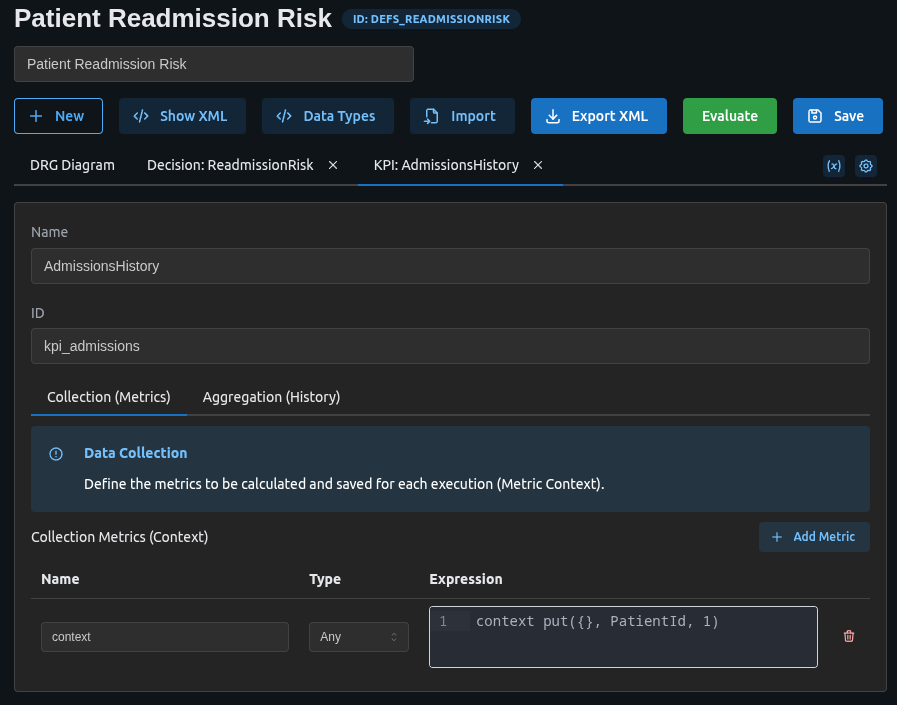
<performanceIndicator id="kpi_admissions" name="AdmissionsHistory" window="30d">
    <aggregation>
        <aggregator name="admissionCounts" function="COUNT" field="context"/>
    </aggregation>
    <impactingDecision href="#input_patient_id"/>
    <context>
        <contextEntry>
            <variable name="context" typeRef="number" />
            <literalExpression><text>context put({}, PatientId, 1)</text></literalExpression>
        </contextEntry>
    </context>
</performanceIndicator>
How it works:
- Context Put: Every time an admission is evaluated, we store the
PatientIdin the ledger. - Aggregator: We count the occurrences of admissions in the last 30 days, grouped by
PatientId.
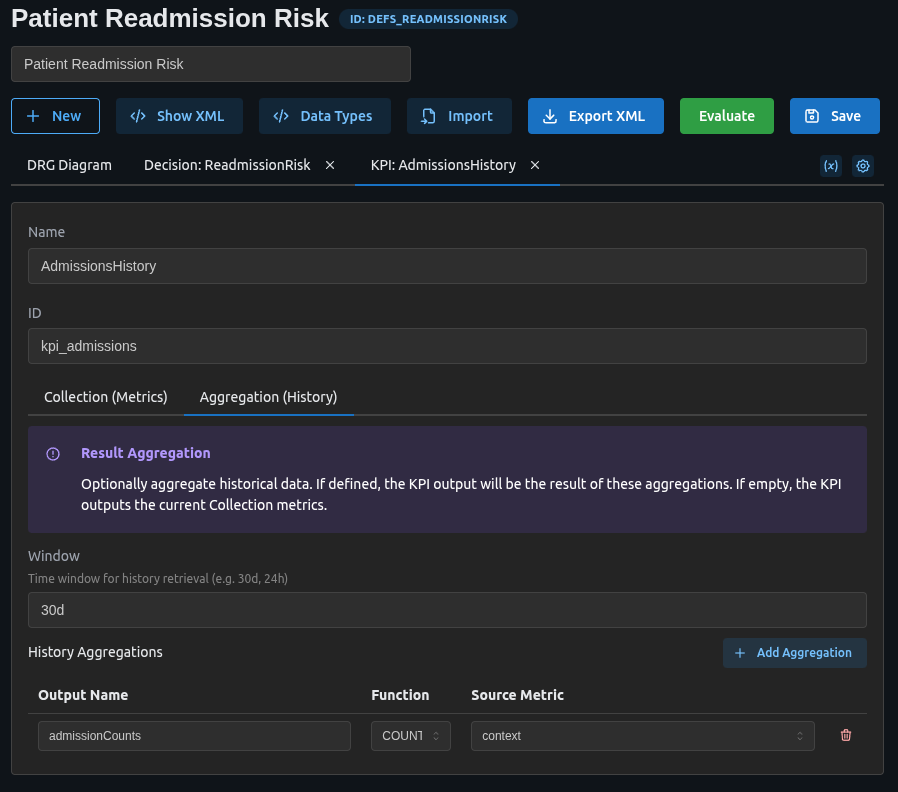
2. The Decision Logic
Now, our decision table can simply check the KPI value for the current patient. The ReadmissionRisk decision uses a decision table with FIRST hit policy:
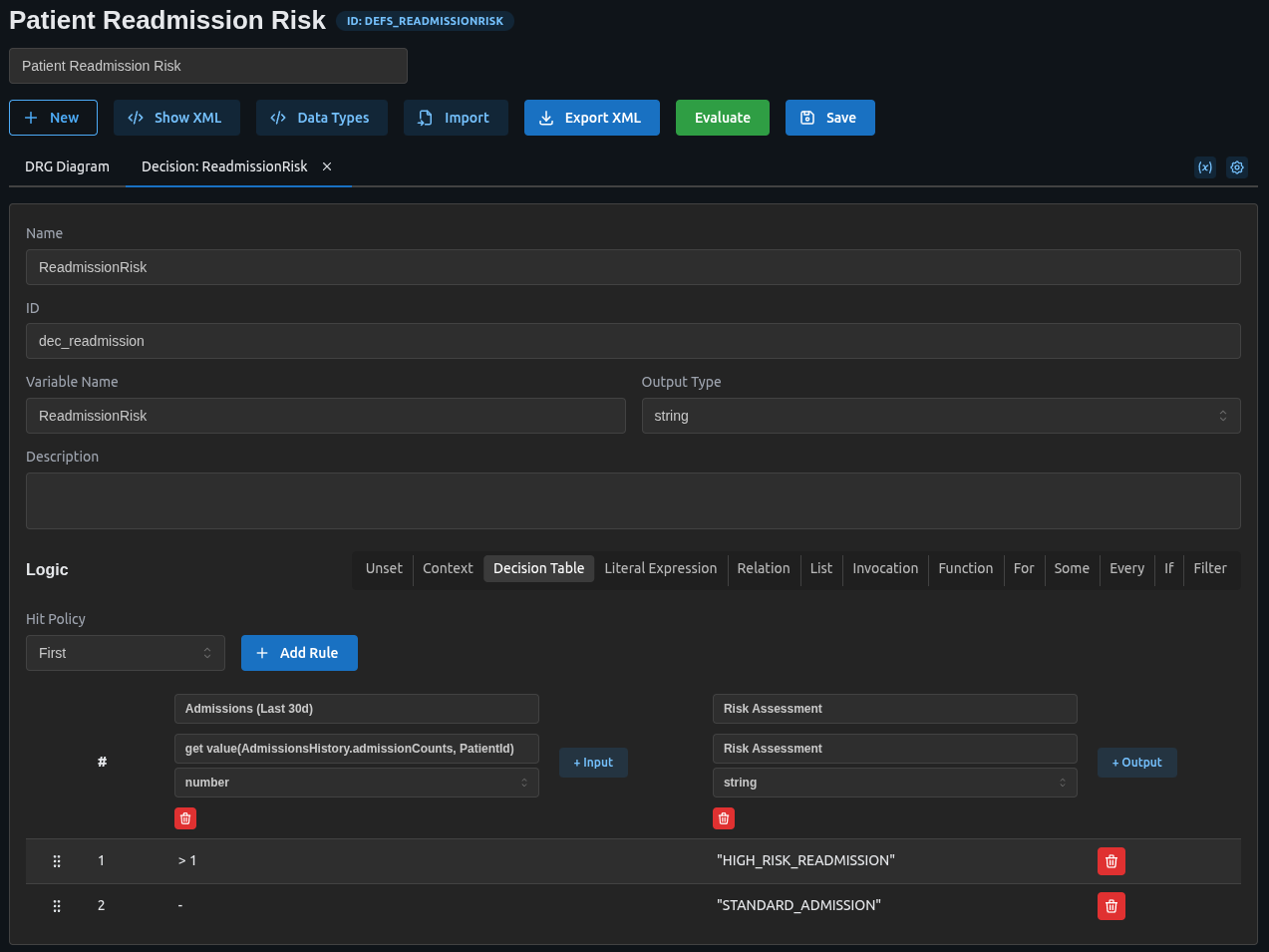
<decision id="dec_readmission" name="ReadmissionRisk">
    <variable name="ReadmissionRisk" typeRef="string" />
    <informationRequirement>
        <requiredInput href="#input_patient_id"/>
    </informationRequirement>
    <informationRequirement>
        <requiredPerformanceIndicator href="#kpi_admissions"/>
    </informationRequirement>
    <decisionTable hitPolicy="FIRST">
        <input label="Admissions (Last 30d)">
            <inputExpression typeRef="number">
                <text>get value(AdmissionsHistory.admissionCounts, PatientId)</text>
            </inputExpression>
        </input>
        <output name="Risk Assessment" typeRef="string" />
        <rule>
            <inputEntry><text>> 1</text></inputEntry>
            <outputEntry><text>"HIGH_RISK_READMISSION"</text></outputEntry>
        </rule>
        <rule>
            <inputEntry><text>-</text></inputEntry>
            <outputEntry><text>"STANDARD_ADMISSION"</text></outputEntry>
        </rule>
    </decisionTable>
</decision>
The rules check:
- High risk readmission: If the patient has more than 1 admission in the last 30 days
- Standard admission: Default case for first-time or infrequent admissions
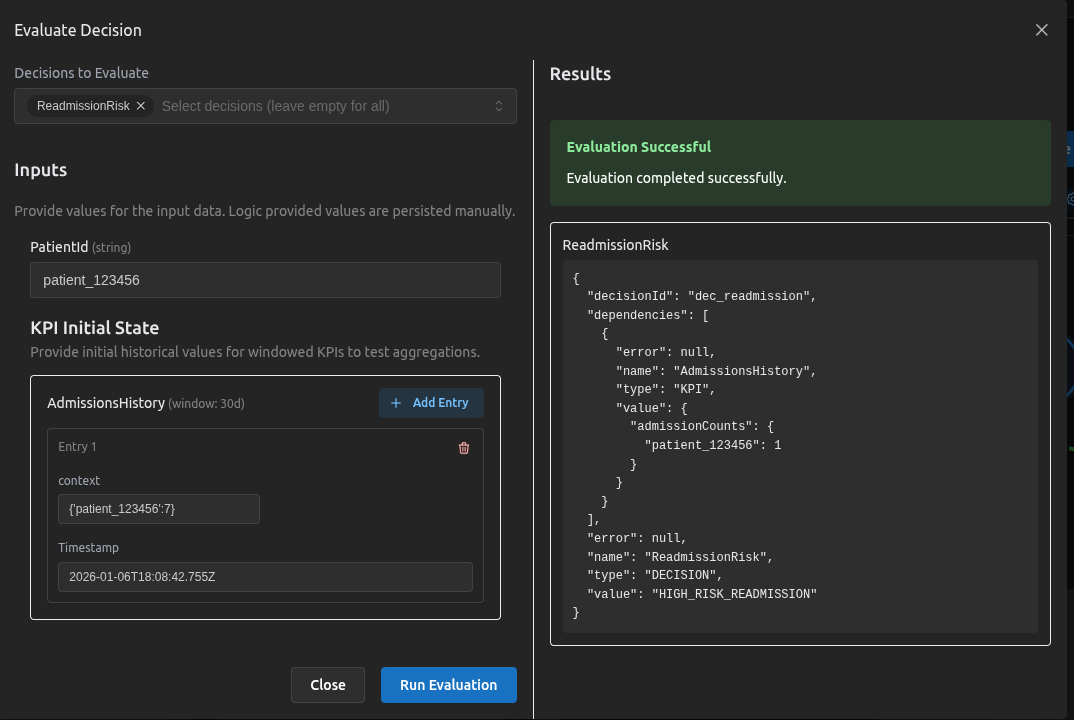
If AdmissionsHistory.admissionCounts for this PatientId is greater than 1, it means they were here recently. The engine returns HIGH_RISK_READMISSION.
Testing the Scenario
We can verify this behavior using the simulator:
Download the Model
You can download the full DMN XML for this scenario here:
Going Further
This pattern isn't limited to simple counts. You could expand this to:
- Condition-Specific Readmissions: Track readmissions only for the same condition (e.g., Heart Failure).
- Billing Alerts: Identify repeated procedures that may be denied by insurance.
- Triage Priority: Automatically upgrade triage priority for frequent visitors.
By moving this logic into QuantumDMN, your application becomes simpler, and your clinical rules become transparent, verifiable, and easy to change.